Home
Add to Home Screen
About PitStorm
Pricing
Sign In
Sign Up
How To Add PitStorm To Your
Home Screen
Follow these simple steps to install PitStorm on your device.
iPhone
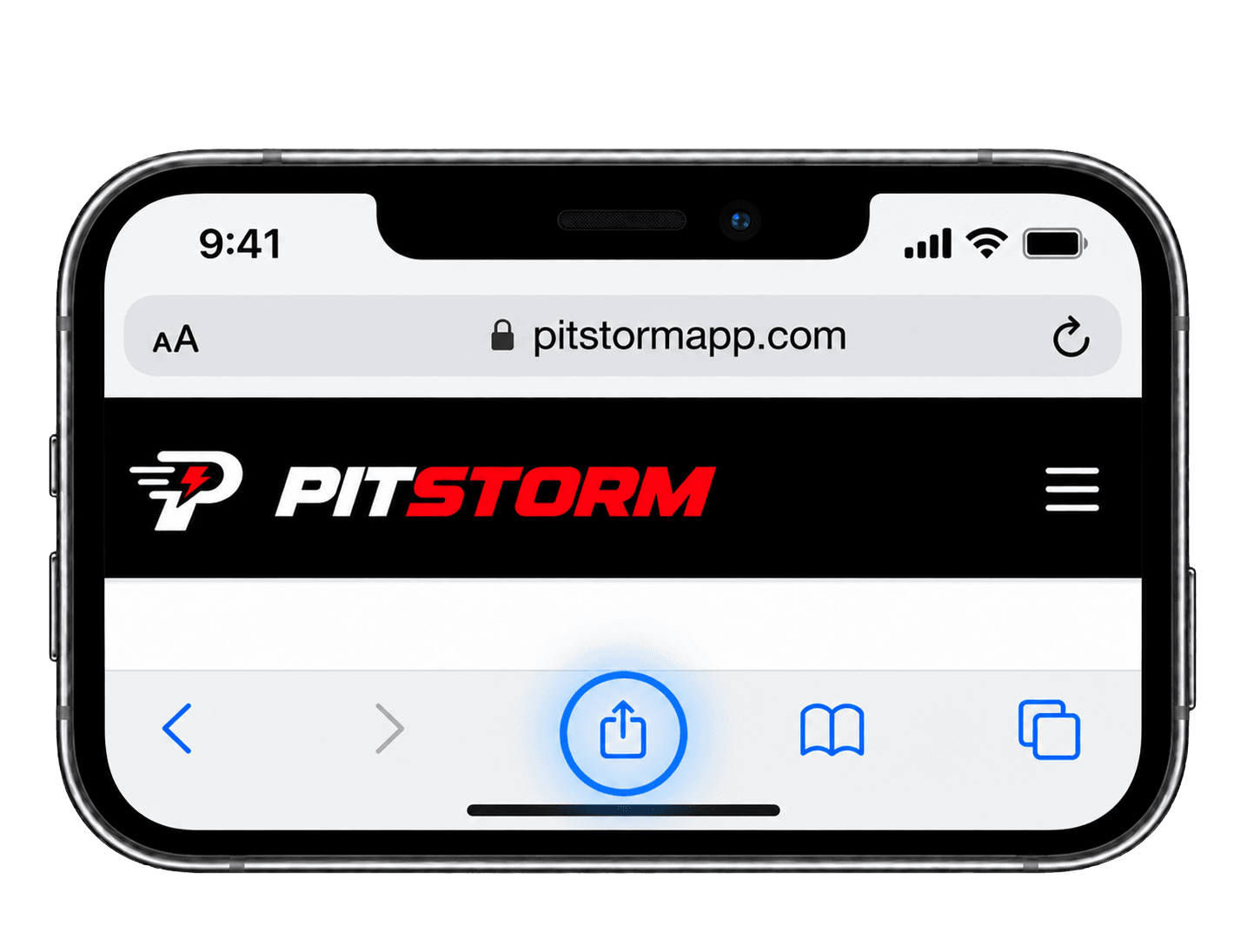
1. Open PitStorm in Safari and tap the Share button.
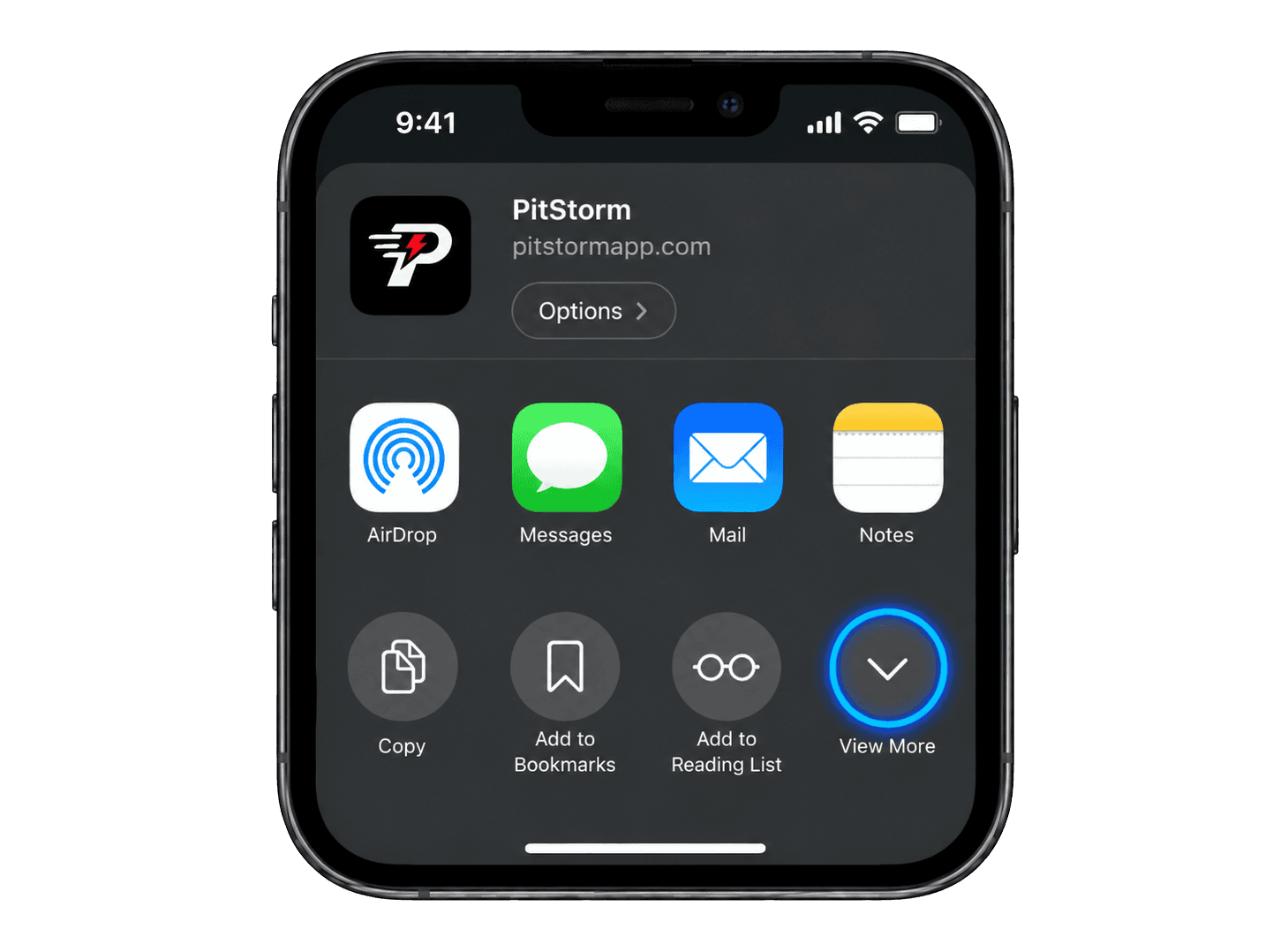
2. Tap "View More" to see all options.
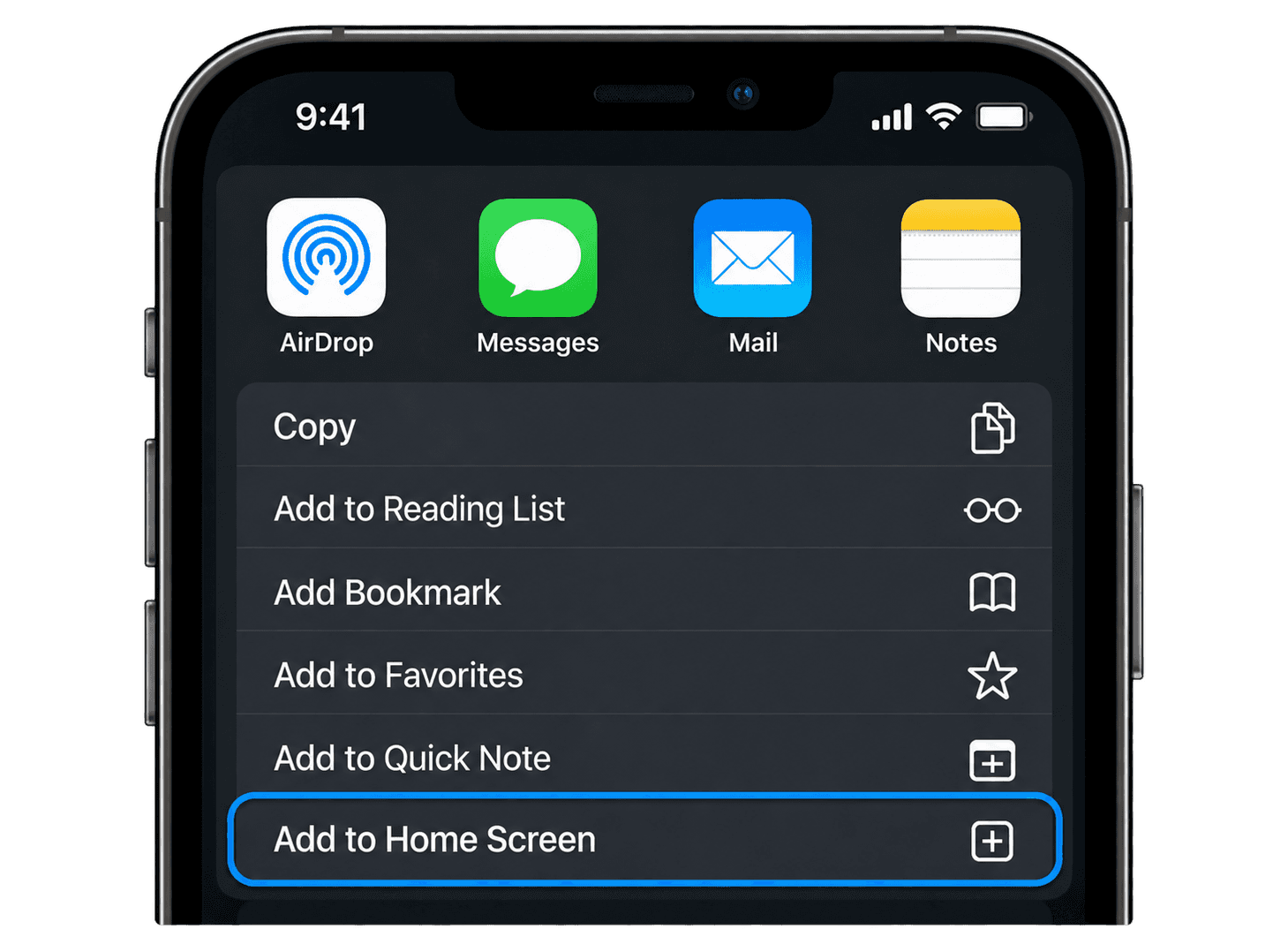
3. Scroll down and tap "Add to Home Screen".
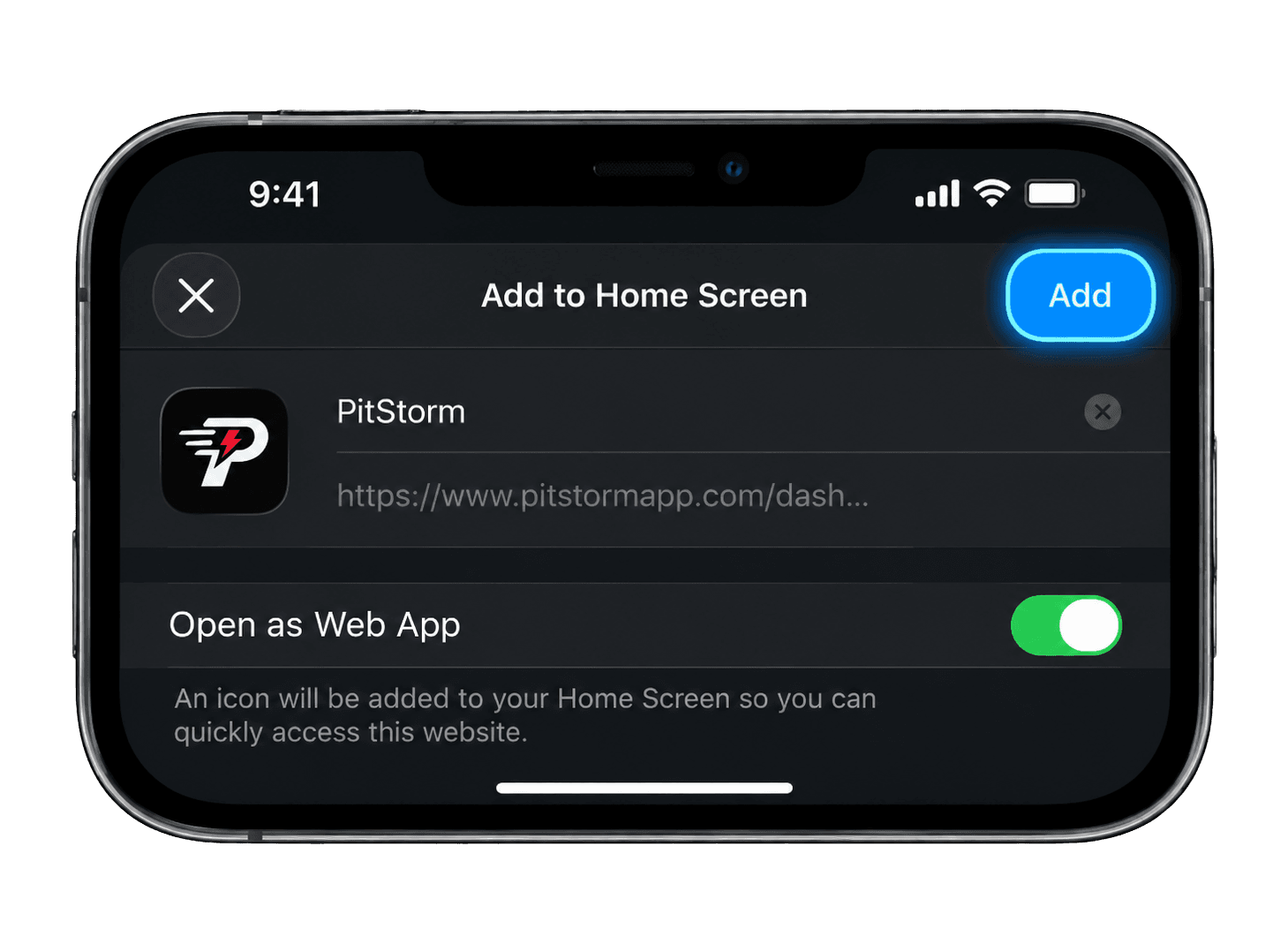
4. Make sure "Open as Web App" is on, then tap "Add".
Previous slide
Next slide
Step 1 of 4
Android
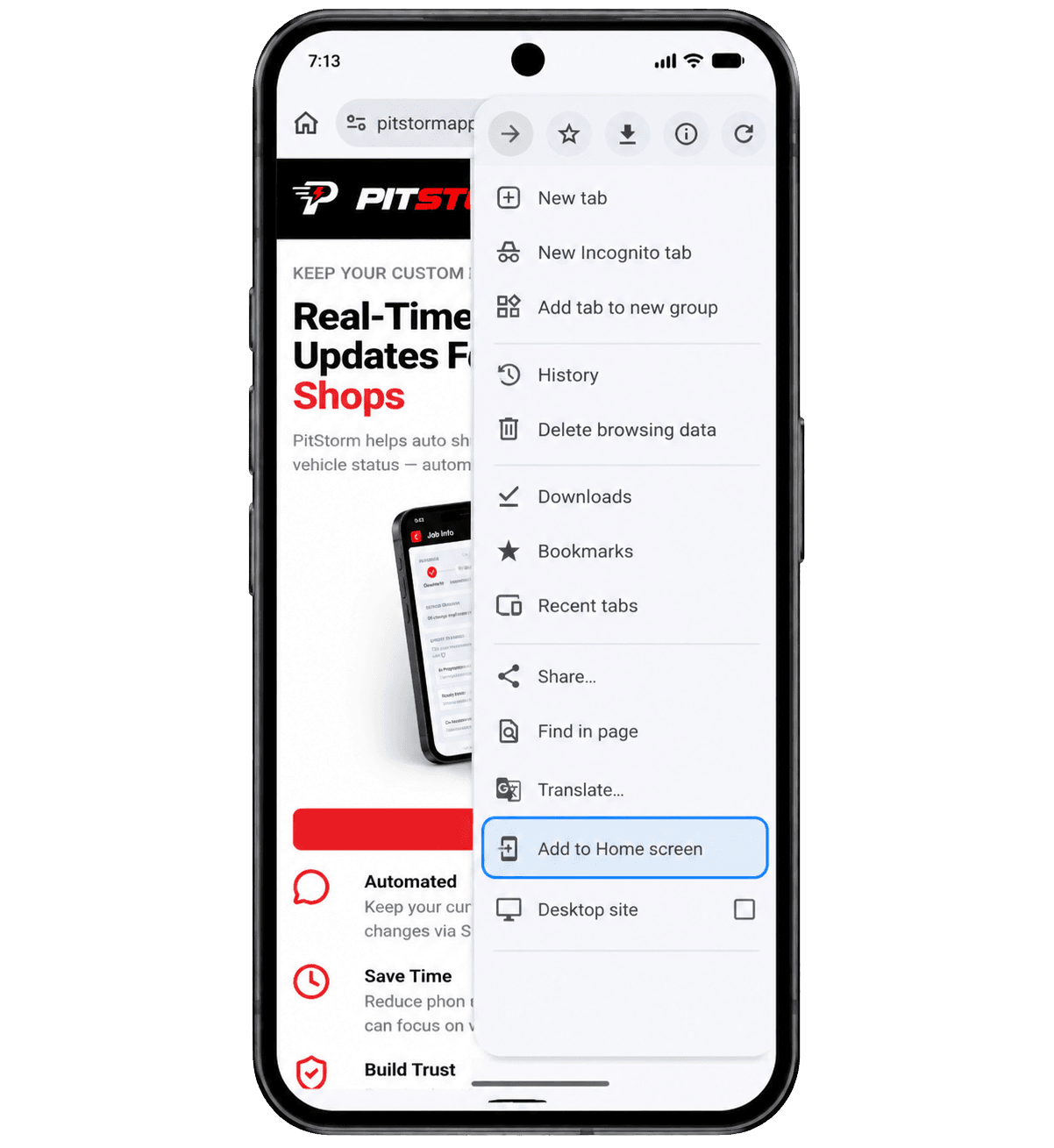
1. Open PitStorm in Chrome and tap the ⋮ menu in the top right.
2. Tap "Add to Home screen".
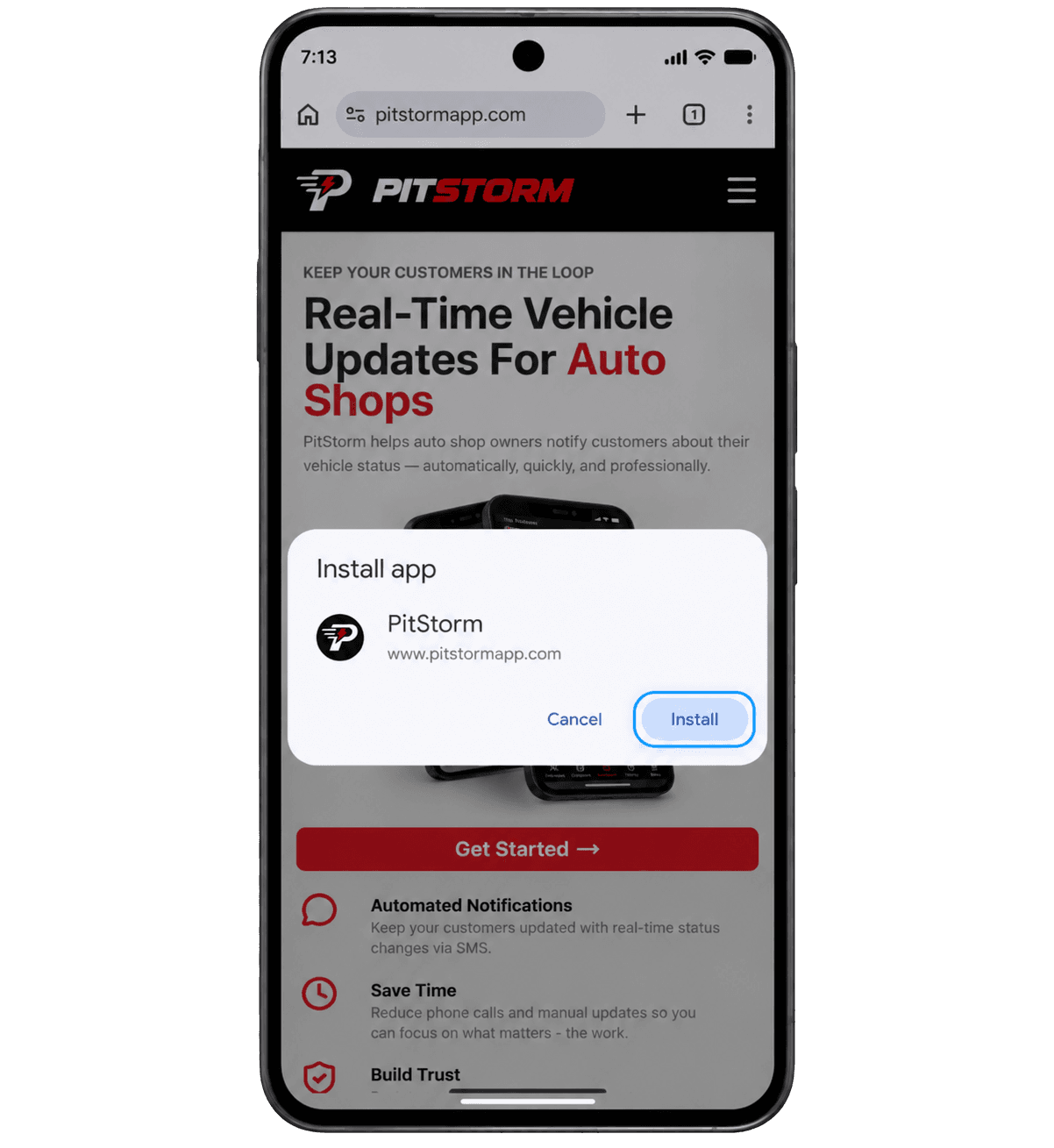
3. Tap "Install" to confirm.
Previous slide
Next slide
Step 1 of 3